Skip to product information
1 of 63

Import Chart of Accounts from CSV or Excel for Dolibarr

Regular price €199,00
Regular price Sale price €199,00
Sold out

Import Chart of Accounts from CSV or Excel for Dolibarr

Import, update, secure and export your chart of accounts in a few clicks.

Features

3 people are viewing this right now

View full product details

Import Chart of Accounts from CSV or Excel for Dolibarr

Import, update, secure and export your chart of accounts in a few clicks.

Features

One-click import
Load a whole chart of accounts from a CSV, XLSX or XLS file instead of typing accounts one by one.
5-step wizard
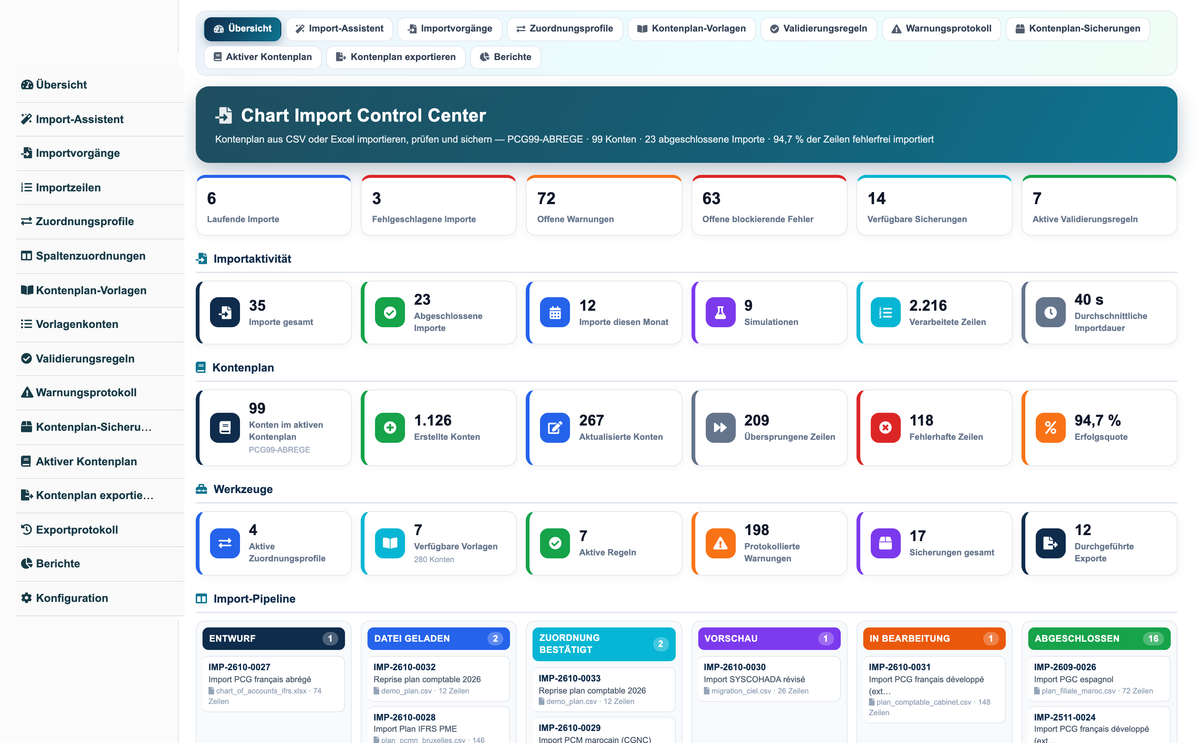
File, column mapping, validation and preview, execution, detailed result.
Automatic mapping
Headers (code, label, parent account, nature...) are recognised automatically and remain editable.
4 import modes
Create only, update only, create and update, full replacement.
Simulation
Simulation mode shows what the import would do without writing anything to accounting.
8 validation rules
Code format and length, duplicates, existing parent, valid class, required label, forbidden characters.
Snapshot and restore
The chart is saved automatically before every real import and restored in one click.
8 chart of accounts templates
French PCG abridged and full (extract), SYSCOHADA, Belgian PCMN, Spanish PGC, Moroccan PCM, SKR03 (extract), IFRS for SMEs.
Multi-software export
Export the live chart to CSV or Excel in Dolibarr, Odoo, Sage, QuickBooks, EBP and Ciel layouts.
Dashboard and reporting
KPIs, import pipeline, 4 charts and 13 reports exportable to PDF, CSV, Excel and JSON.
REST API
13 secured routes to read imports, templates, warnings, snapshots and the chart of accounts.
Demo data
Install / Uninstall demo data buttons in the module setup.

Warnings handled

  • Invalid file (refused extension, empty or unreadable file)
  • Missing data (empty code or label)
  • Account already exists
  • Parent account not found
  • Invalid code or forbidden characters
  • Duplicate in the file

How it works

  1. Open the import wizard and choose a file or a template.
  2. Check the proposed column mapping.
  3. Review the preview and the warnings.
  4. Run the simulation, then the real import.
  5. Read the result and the log and, if needed, restore the snapshot.

Technical information

Compatibility Dolibarr 16 to 23, PHP 7.1 to 8.4
Languages French, English, Spanish, Italian, German
Formats CSV, XLSX, XLS (text or renamed XLSX)
Permissions 26 permissions in 10 groups
Version 1.0.0
Developed by DoliResource
Copyright © DoliResource
Website : www.doliresource.com (→ www.doliresources.com)